
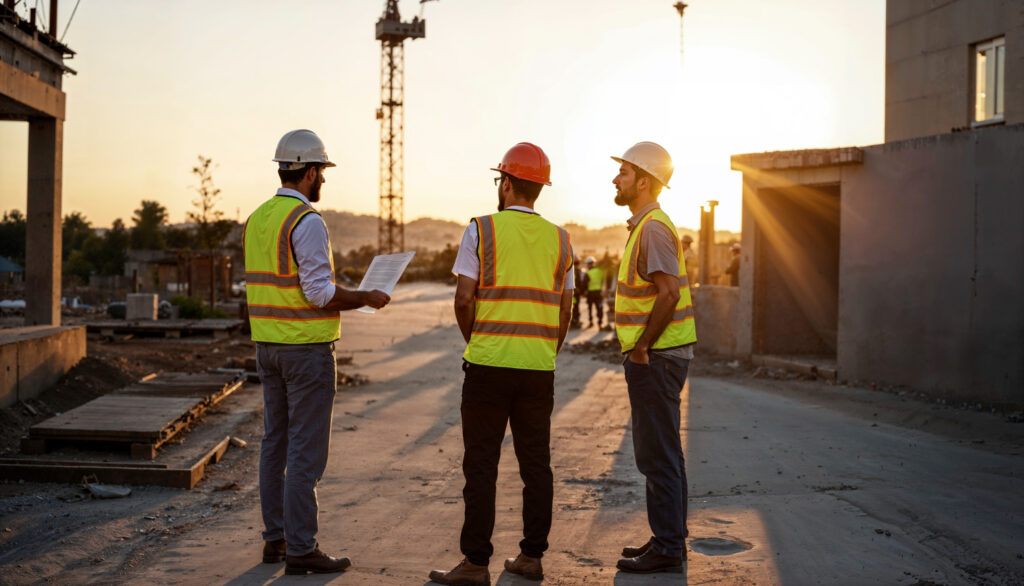
On a construction site, there’s a lot going on—around-the-clock activity, multiple crews, heavy equipment, and tight deadlines. It’s not just the machinery that needs to work well but the tech that connects everything too. With more construction teams using Wi-Fi, tablets, and digital project management tools, taking care of equipment safety protocols goes beyond plugging in and hoping for the best. A well-secured construction network helps protect your project timeline and the people behind it.
The flip side is a bit messier. A single weak link in your setup, like a poorly protected router or outdated firmware update, can open the door to costly damage. This isn’t just about cyber threats either. Equipment malfunctions tied to bad network setups or ignored maintenance routines lead to real safety hazards. That makes taking IT seriously on a job site more than convenient—it’s a safety need. Construction work might be full of rugged tools, but the brains behind them need just as much protection.
Understanding the Risks of Poor Equipment Safety Protocols
A lot of construction companies focus heavily on physical risks. Falling materials, faulty tools, and power failures are obvious hazards. But tech problems tied to bad or missing equipment safety protocols don’t always get the same attention, even though they can be just as damaging.
If your on-site network isn’t set up or protected the right way, you could run into issues like:
– Unauthorized access to sensitive project documents or financial data
– Equipment malfunctions due to inconsistent firmware or software updates
– Downtime from internet loss when no backup plan is in place
– Remote devices that go unchecked and become hacker targets
– Unreliable data collection from improperly synced field equipment
Imagine a crane’s operation feed gets cut off because the Wi-Fi went out, and the backup signal isn’t working either. That kind of risk delays work and puts people in danger. It’s not just an IT issue. It’s a job site threat.
The problem often starts when there’s no single process in place to tie together tech safety with regular operations. One team focuses on physical infrastructure while another dabbles in tech setups without really talking. That separation can lead to overlap issues, missed updates, or improper device usage. And the longer that gap stays open, the more ground there is for errors to build up.
Recognizing the risks early gives you the chance to design a better system before anything goes sideways. Whether you’re using rugged tablets or security cameras, they all need support from a connected, well-maintained, and secure network. Once that becomes part of your safety plan, the whole site runs cleaner and with fewer surprises.
Implementing Strong Network Security
A secure network on a construction site is more than just password-protecting the Wi-Fi. With so many people, machines, and tools relying on digital systems, your network becomes a key point of access for both daily tasks and potential risks. From back-office coordination to real-time equipment tracking, everything depends on a steady and secure connection.
Start by separating work-related networks from guest or public users. Keeping contractors, visitors, and partners off your main system helps reduce exposure. Use strong passwords with multi-factor authentication to guard every access point, especially for remote devices. Too many sites rely on default credentials or basic logins, which makes them easy targets.
Here’s a quick breakdown of network security best practices for job sites:
– Use firewalls and encryption protocols for all Wi-Fi and wired connections
– Regularly update router firmware and any hardware linked to your network
– Install endpoint monitoring tools on all laptops, tablets, or phones used on-site
– Make sure each device has a unique login and access level that aligns with its purpose
– Set up alerts for strange activity like multiple failed login attempts or sudden device changes
– Use role-based permissions so people only access the tools and data needed for their job
Putting these systems in place early lets you scale more safely as your site grows. Once security becomes part of your process, you won’t have to play catch-up every time a new tool or device gets added.
Ensuring Equipment Safety and Maintenance with IT
Keeping equipment running smoothly is half the battle on a job site. When something breaks down, people stop working, deadlines slip, and budgets take a hit. That’s why having routine maintenance paired with smart tech tracking can make a huge difference. It’s not about fixing things after they fail—it’s about knowing they’re on track before that ever happens.
Digital tools can help log daily inspections, track service history, and flag machines due for updates. Instead of relying on memory or paperwork, centralized systems keep everything organized so nothing slips through the cracks. Teams can scan equipment using software tags or register usage hours to trigger automatic alerts when it’s time for service.
Here’s how smart maintenance supported by IT can improve safety and productivity:
– Schedule maintenance based on usage hours rather than fixed dates
– Use sensors or connected apps to detect wear and tear in real time
– Track inspection results across different job sites in one place
– Store digital manuals, repair logs, and safety certifications
– Set up reminders for warranty updates or vendor check-ins
This kind of setup doesn’t just reduce downtime. It lowers the chance of an accident caused by faulty equipment. Workers do their jobs with more peace of mind when they know the tools in their hands are up to date and reliable.
Training and Awareness On-Site
No system works well if people don’t know how to use it. Tech upgrades and new safety protocols only help when workers understand how to follow them. That’s why training has to include more than just handing someone a manual. From IT basics to safety drills, the goal is to build habits, not just share instructions.
Start with short, task-focused sessions. Teach your team how to recognize phishing attempts, secure mobile devices, and report odd behavior around connected equipment. Hosting these sessions regularly gives everyone a chance to stay sharp and ask questions. It also encourages workers to look out for one another, especially when something seems off.
Other effective training tools include:
– Micro-learning sessions during team meetings
– Quick video walk-throughs posted on your crew’s private platform
– On-site safety drills that include tech failures as part of the plan
– Scenario-based walkthroughs to show what happens when safety rules are skipped
– Group feedback sessions to surface concerns that aren’t always spoken up front
Building this culture helps your team get more comfortable with their tech and accountability at the same time. It turns safety from a rulebook into a habit. And when tech becomes second nature, fewer mistakes sneak through the cracks.
Why Your Crew Deserves Safer Network Solutions
Construction crews deal with enough surprises on the job. Network interruptions, unsecured devices, or missed service dates shouldn’t be part of them. By bringing smart IT practices into equipment safety protocols, you cut down on those headaches while making the job site smoother and safer for everyone involved. Connected tools deserve connected thinking, and that starts with the core systems that keep things running.
Good safety doesn’t stop at the toolbox. It includes every wire, signal, and piece of software that supports your daily work. When those parts are checked, protected, and maintained just like your heavy machinery, your operation becomes stronger all around.
Strengthening your construction site network ensures both security and efficiency, ultimately contributing to a safer environment for everyone involved. If you’re ready to enhance your operations with reliable construction IT services, explore how Soaring Towers can help keep your team connected, your data protected, and your projects on track with solutions built for the way you work.